
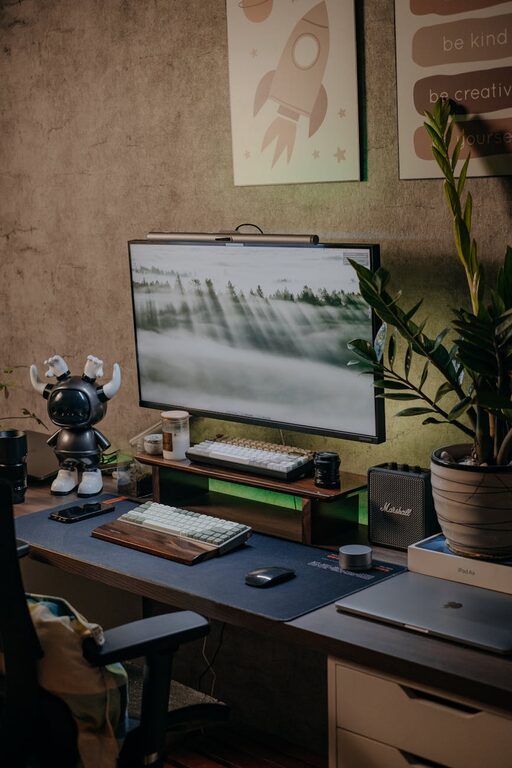
Creating a cozy and inviting home workspace is essential for maintaining productivity and comfort while working remotely. A well-designed area can boost your mood, focus, and overall work experience. Whether you have a dedicated room or a small corner, these tips will help you transform your space into a welcoming and efficient work environment.
Choose the Right Spot for Your Workspace
The first step is selecting the ideal location within your home. Consider these factors:
– Natural Light: Aim for a spot near a window. Natural light reduces eye strain and enhances mood.
– Quiet Area: Pick a part of your home with minimal distractions and noise.
– Space: Ensure there’s enough room for your desk, chair, and work essentials without feeling cramped.
Invest in Comfortable Furniture
Comfort is key to long hours of work.
Desk
Choose a desk that fits your space and work style. If possible, opt for:
– Adjustable height desks for sitting or standing
– A surface large enough to hold your computer, documents, and accessories
Chair
A supportive chair can prevent back pain and improve posture. Look for:
– Adjustable height and backrest
– Good lumbar support
– Comfortable padding
Personalize Your Workspace
Adding personal touches can make your workspace feel more inviting.
– Decor: Use photos, artwork, or plants to create a pleasant atmosphere.
– Colors: Opt for calming colors like soft blues, greens, or neutrals to reduce stress.
– Lighting: In addition to natural light, add warm desk lamps or fairy lights for coziness.
Organize Efficiently
A cluttered desk can cause distractions and anxiety. Try these organizational tips:
– Use trays, pen holders, or drawer organizers to keep items in place.
– Keep frequently used items within reach.
– Maintain a filing system for papers and documents.
– Consider cable management solutions to avoid tangled wires.
Incorporate Comfort Elements
Small comfort additions can make a significant difference.
– Place a soft rug under your desk or chair.
– Use cushions or ergonomic accessories like wrist rests.
– Keep a blanket or sweater nearby for chilly days.
Optimize Technology Setup
Technology is a critical part of any home workspace.
– Position monitors at eye level to reduce neck strain.
– Use a quality keyboard and mouse for ease of use.
– Invest in noise-cancelling headphones if your environment is noisy.
– Ensure a stable Wi-Fi connection to avoid interruptions.
Set Boundaries and Maintain Routine
Creating a cozy space is only part of the equation. To stay productive:
– Set specific work hours.
– Use the workspace only for work to mentally separate work from leisure.
– Take short breaks to stretch and refresh your mind.
Keep the Air Fresh and Pleasant
Air quality influences comfort and concentration.
– Open windows regularly for ventilation.
– Add air purifying plants like snake plants or pothos.
– Use a diffuser with calming essential oils like lavender or eucalyptus.
Final Thoughts
A cozy and inviting home workspace helps you feel motivated and focused. By choosing the right location, investing in comfort, staying organized, and personalizing your space, you create an environment that nurtures productivity and well-being. Remember, your workspace should reflect your personal preferences and needs, making it a place you look forward to spending time in every day.