
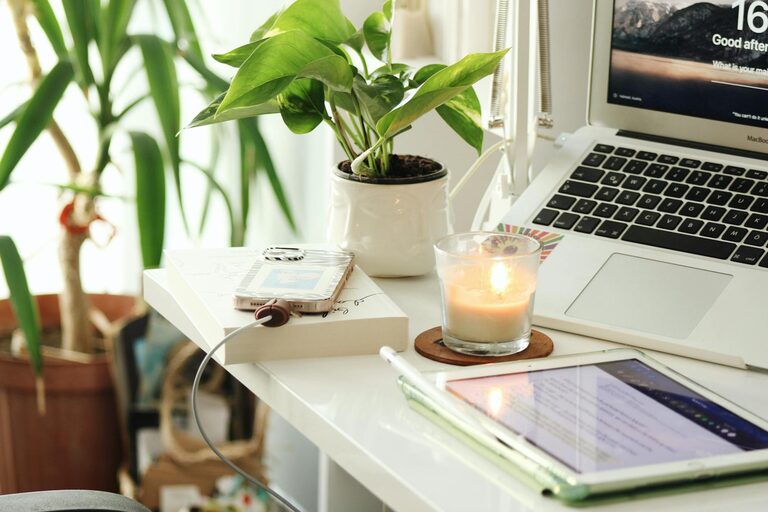
Creating a home office that feels both cozy and productive is essential for anyone working remotely or spending time on projects from home. A well-designed workspace can boost focus, creativity, and overall well-being. Below, we explore practical tips to help you set up a home office that you’ll enjoy using every day.
1. Choose the Right Location
Selecting the best spot in your home for your office is the first step.
– Natural Light: Aim to place your desk near a window. Natural light can improve mood and reduce eye strain.
– Quiet Area: Pick a location that minimizes distractions. Avoid high-traffic zones where noise or household activity might interrupt you.
– Space Availability: Make sure there’s enough room for your desk, chair, and any necessary equipment without feeling cramped.
2. Invest in Comfortable Furniture
Comfort is key to staying productive during long hours.
– Ergonomic Chair: Choose a chair that supports your back and encourages good posture.
– Adjustable Desk: A desk with the right height promotes comfort. Consider a standing desk if you want to alternate between sitting and standing.
– Organized Desk Surface: Keep your desk tidy to avoid clutter. Use desk organizers or trays to store stationery and small items.
3. Optimize Lighting
Good lighting reduces eye strain and helps maintain focus.
– Task Lighting: Besides natural light, use a desk lamp with adjustable brightness and color temperature.
– Ambient Lighting: Soft overhead lighting helps create a cozy atmosphere.
– Avoid Glare: Position screens and lamps to reduce glare on your computer or paperwork.
4. Personalize Your Workspace
Adding personal touches can make your office feel inviting and inspire creativity.
– Decor: Hang art or photos that motivate you without overwhelming the space.
– Plants: Indoor plants bring life to your office, improve air quality, and reduce stress.
– Color Scheme: Choose colors that soothe or energize you. Blues and greens tend to be calming, while yellows can stimulate focus.
5. Manage Cables and Tech Efficiently
A clutter-free workspace also means managing cords and gadgets wisely.
– Cable Organizers: Use clips, sleeves, or ties to group wires neatly.
– Dedicated Charging Station: Have a specific spot for charging your devices.
– Reliable Internet: Ensure your internet connection is strong to avoid interruptions, especially for video calls.
6. Incorporate Storage Solutions
Keeping your office organized contributes to productivity.
– Shelves and Filing Cabinets: Store documents and supplies out of sight but easily accessible.
– Drawer Dividers: Separate items like pens, paper clips, and sticky notes.
– Labeling: Clearly label boxes, folders, or drawers to find things quickly.
7. Set Boundaries Between Work and Relaxation
Maintaining a healthy work-life balance is easier with clear boundaries.
– Defined Workspace: Keep your office separate from living areas, if possible.
– Routine: Set specific work hours and breaks.
– End-of-Day Ritual: Close your laptop or tidy your desk to signal the end of the workday.
8. Add Comfort Features
Small comfort upgrades can make your workspace more inviting.
– Cozy Textiles: A soft rug, cushion, or throw blanket can warm up the space.
– Temperature Control: Use a fan, heater, or keep windows open depending on the weather.
– Scent: Light a scented candle or use essential oils for a pleasant aroma that helps you focus.
9. Keep Technology Up-to-Date
Efficient tools reduce frustration.
– High-Quality Monitor: A larger or secondary monitor can improve workflow.
– Noise-Canceling Headphones: These can block out distracting sounds.
– Backup Solutions: Regularly save and back up your work to avoid data loss.
Conclusion
Designing a cozy and productive home office doesn’t require a complete overhaul. By focusing on comfort, organization, lighting, and personalization, you can create a space that makes working from home enjoyable and efficient. Start small, experiment with what works best, and adjust your environment as your needs change. Your ideal home office is one where you feel comfortable, motivated, and focused.